Utilizing font variations on specific typefaces to create a cool hover effect.

How to

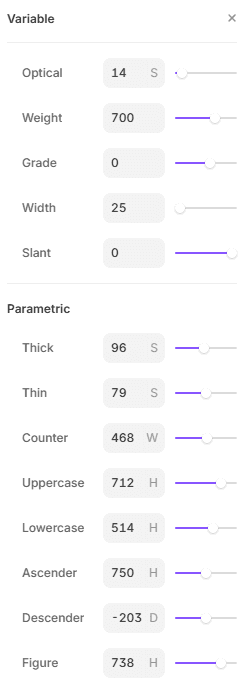
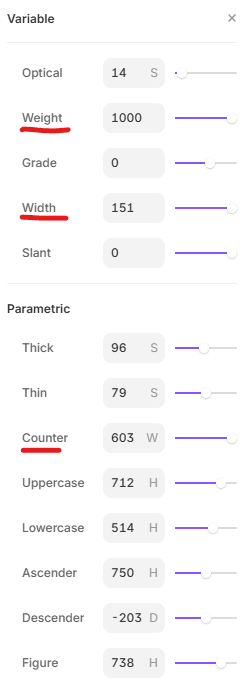
Images below show how one can achieve this affect in Framer, it should be noted that you can only do this with specific typefaces, and only if they support it.

If you head over to google fonts you can filter by variable fonts, but you also have to ensure they have the variations you want to change supported, for example most support at a minimum a weight variation but might not support the variation that stretches the text. I've underlined in red the settings I've changed for the example below.

Variable Enabled
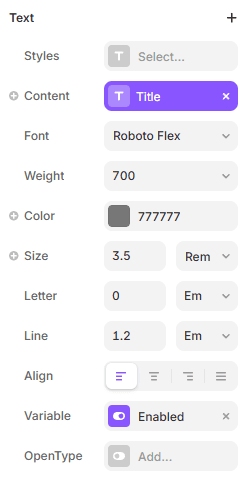
Variable Enabled

Variable Enabled

An early figma design of my new portfolio

Default

Default

Default

An early figma design of my new portfolio

:Hover

:Hover

:Hover

An early figma design of my new portfolio

Example

Because in this example its a hover effect it only works on PC, however if it were tied to a different action it could technically work on mobile as well.

Variable Font

Hover your cursor

ALL RIGHTS RESERVED © 2025 MITCHELL ZELLER

Create a free website with Framer, the website builder loved by startups, designers and agencies.