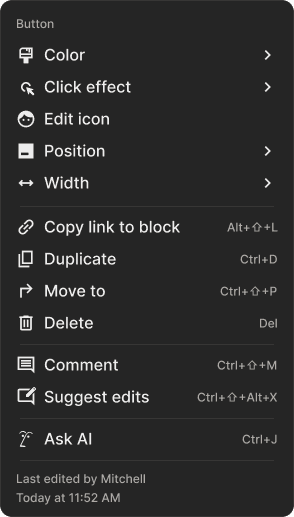
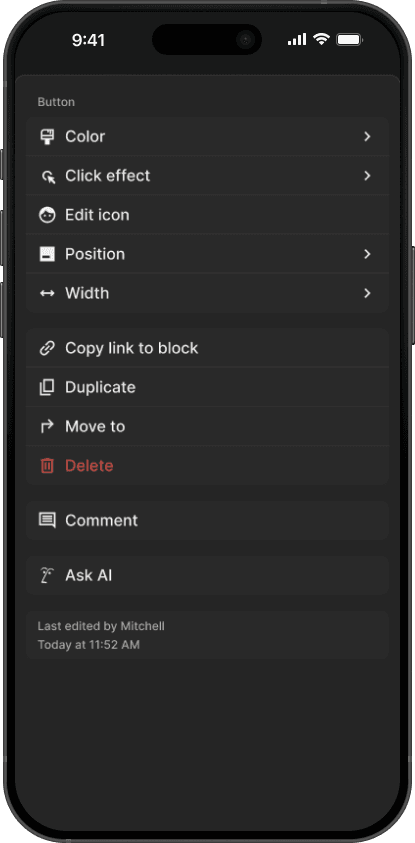
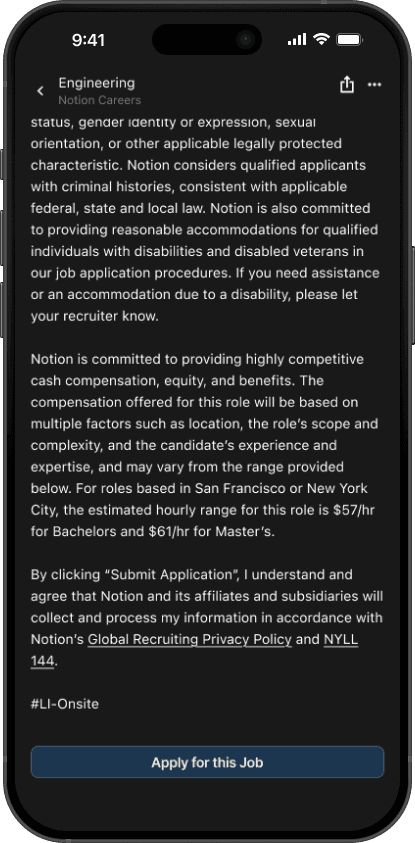
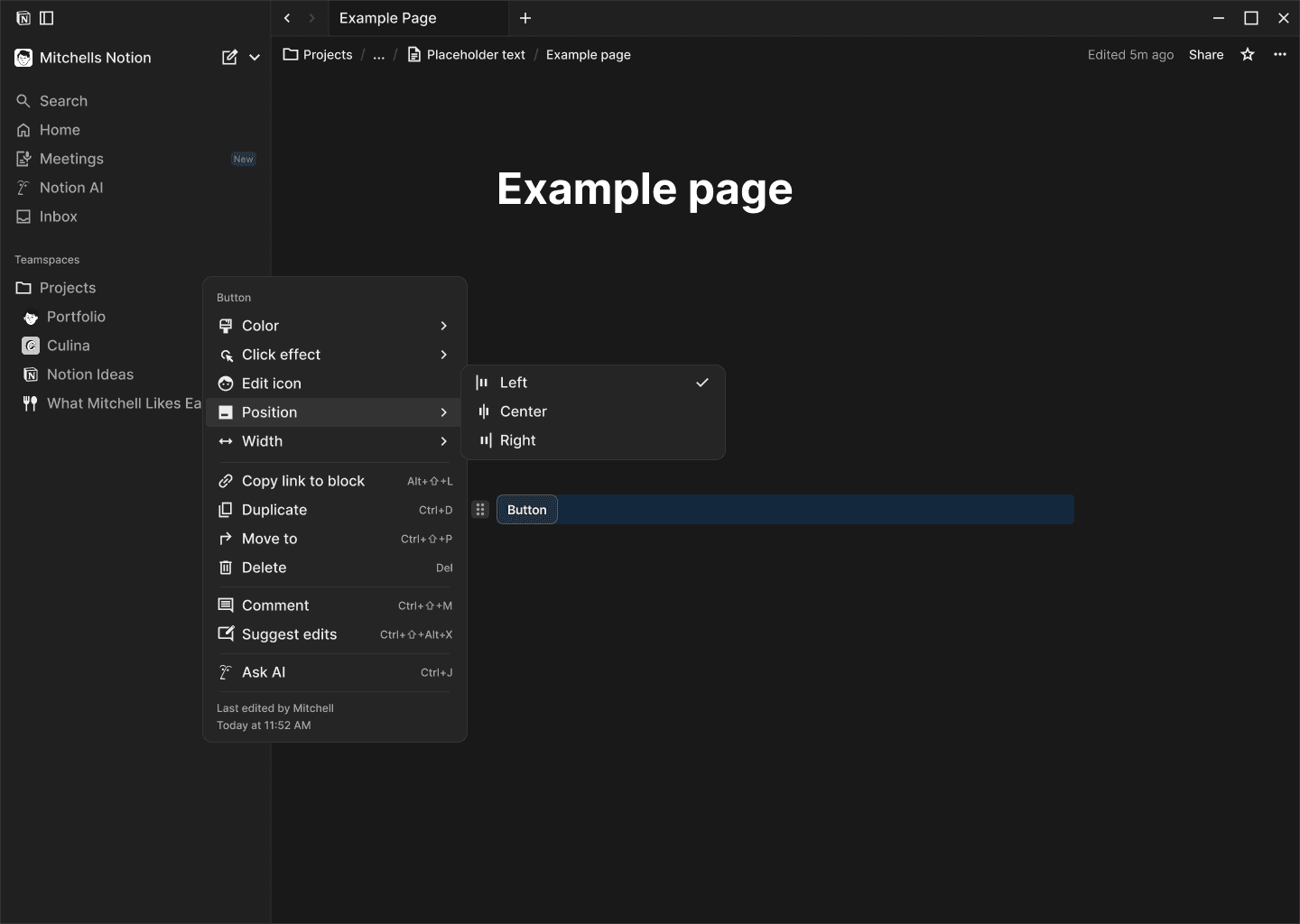
Providing the basic controls for adjusting the positioning and width of, for example, the button block
Introduction
Notion — Basic layout controls
In this scenario I've used the button block as the example, and is probably the best use case for this functionality, although you could expand it to at least in the beginning, to other basic blocks. If you then find you could add multiple or more styles to a block to the point it might become overwhelming for the user then check out this other idea which could be an approach to solve that.
Role
User, Product Designer
Timeframe
1 day
Team
Myself
Tools
Basic Layout Controls
Whilst it seems like a small addition or change it does give the user more control in how they want to build their Notion pages, but also it could be expanded further.
This could be used I imagine in many circumstances, for example, businesses that use a Notion page for a job description could have the apply button at the bottom set to fill.
New Modal Interaction
If you wanted to implement various styles across blocks it could expand that modal out a lot or very little depending on the block, which might harm the UX. So here is my idea for how you might solve that possible future problem.
So far I have only used the Button block as the example, although you could most definitely expand this to primarily the basic blocks, at least at first. For example the divider block could be altered quite a bit, by color, line-weight, and instead of a solid line it could be dashed.
Outcome
This is my proposed new subfeature, and solution if you decided to roll it out to multiple blocks to create a repeatable pattern for users to easily understand.
Basically you could control the look and or positioning of certain blocks much more and still keep it very practical or reasonable. For example the the ability to position a button either start, center, or end is a small to some extent QoL (quality of life) change. Now if you were to implement this to other most likely just the basic blocks you may run into issues with having too many options, and thats why I propose the modal interaction above.
Ultimately you could do a lot by offering positioning for the button block but I am sure if you were to seriously consider implementing the ability to change the styles on blocks you would find many of the basic blocks have a good amount of potential, however the more complex blocks might be inherently less customizable.
I've created some examples of stuff you could create with the changes to the button below, and possibly I'll expand it to the other basic blocks,
Examples
Below are some examples of how adding basic layout and styles to blocks could look, from having buttons fill the available space, adjusting border weight and color etc.
Being able to set the color of the callout block
Businesses that utilize notion pages to write job pages could also utilize this feature if only in the button block. There is also possibly the idea of setting the positioning of the button to fixed/sticky but that might be more complex then needed.