Giving Notion users the ability to edit basic styling options for various blocks
Introduction
Notion — Block styles
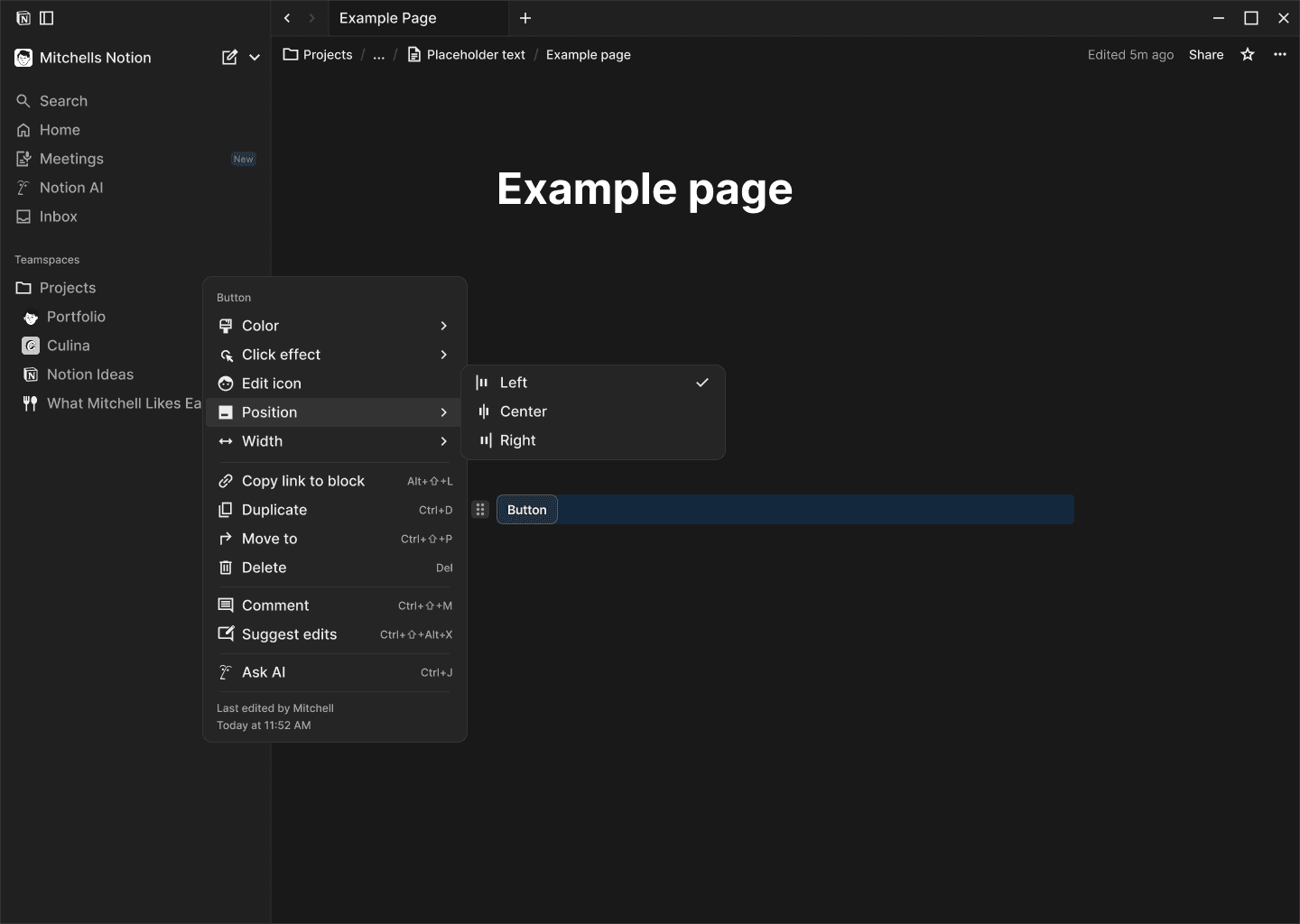
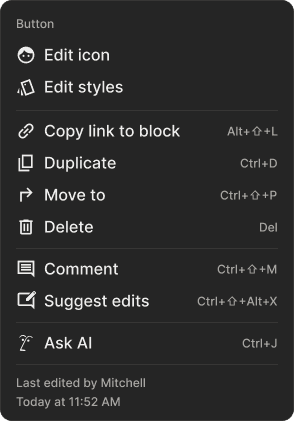
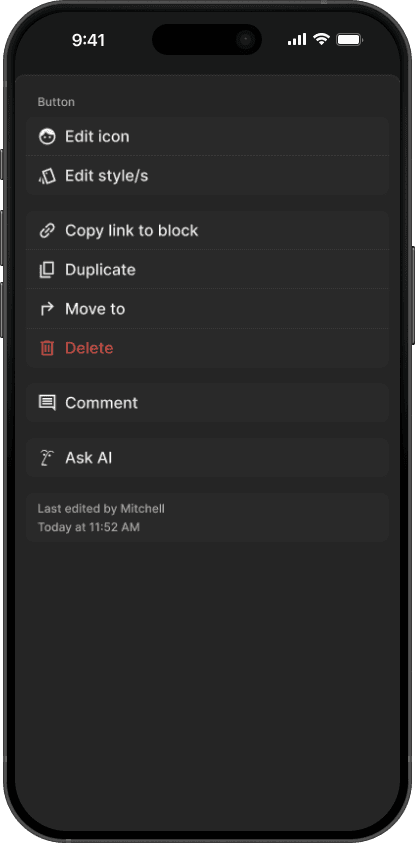
If Notion decided to expand their styling options for all their blocks where and when applicable, this is my solution to how I would implement this change. Some blocks would have more options available to them, and others might have quite a minimal amount you can change, so I believe you want the flexibility to include different amounts of options, and hence an existing pattern seen with the icons, when you click edit icon you bring up a new modal to handle those changes, and I believe as you see below, the same would happen for editing styles.
Role
User, Product Designer
Timeframe
1 day
Team
Myself
Tools
New Modal Interaction
Concept
Here is my solution to adding the ability for users to edit the styling on blocks, it utilizes an existing pattern seen with icons, but of course changed to better fit.
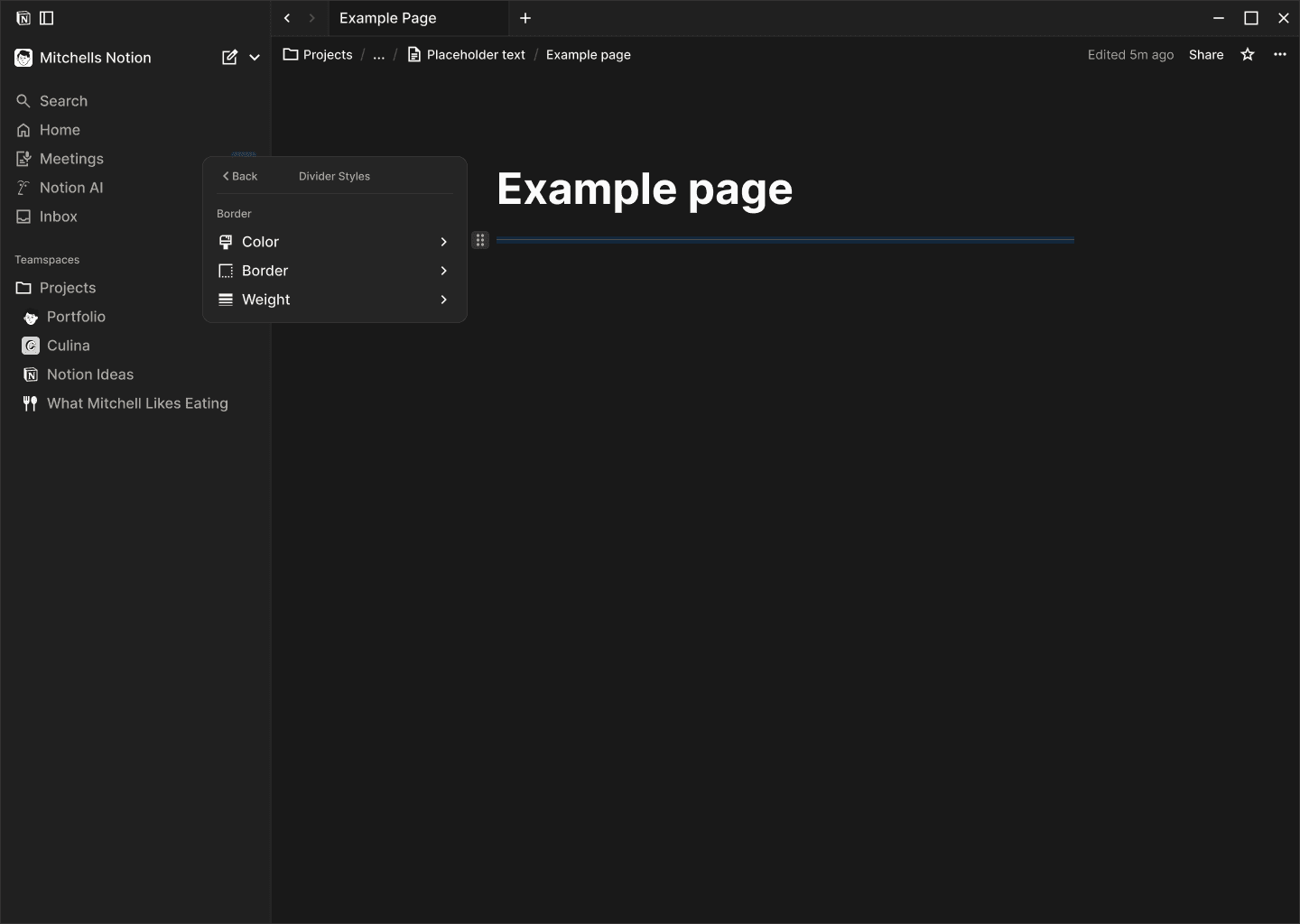
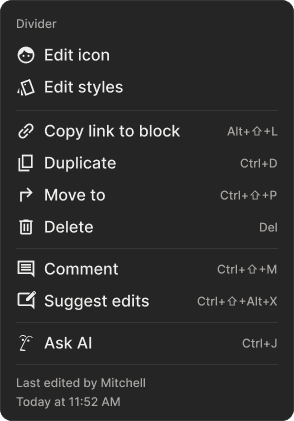
So far I have only used the Button block as the example, although you could most definitely expand this to primarily the basic blocks, at least at first. For example the divider block could be altered quite a bit, by color, line-weight, and instead of a solid line it could be dashed.

Divider
Basic Block
The ability to change a few style on the dividers, for example the color, make it a dotted or dashed line, and the weight of it could simply be a range of 1-4 options etc
Aa
Outcome
Aa
Aa