Redesigning how Sunshine Coast Council communicates public warnings, incidents, and disaster information.
Overview
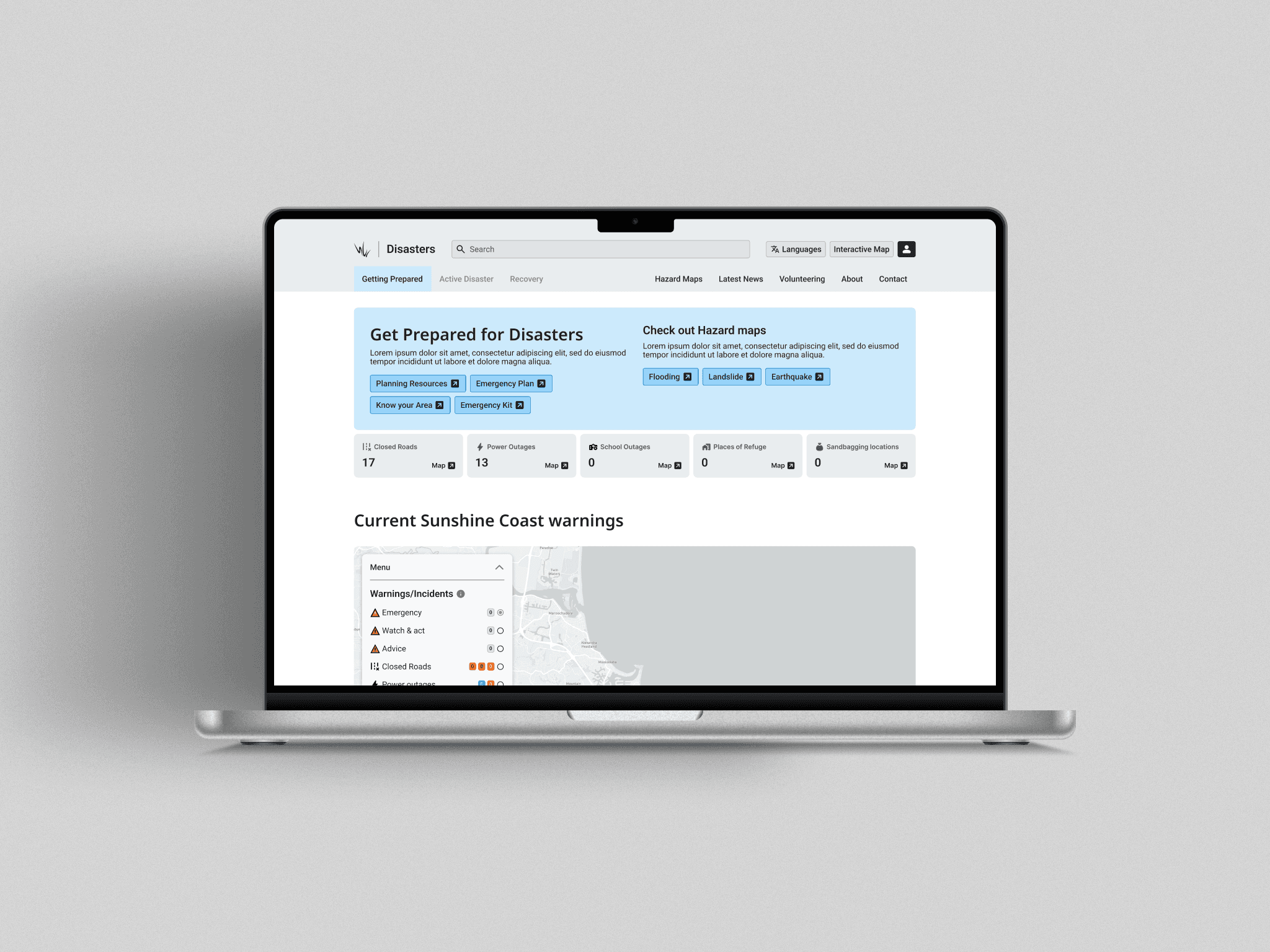
Redesigning DisasterHub
This project was effectively a concept redesign into how could you improve the communication to the public during, before, and after disaster events. Refining how the user currently views incidents around the Coast, and introducing new features, new ideas.
Role
Product Designer
Timeframe
1-2 months
Team
Me, Team lead, Back-end dev
Tools

Problem
Residents rely on Council updates during emergency and disaster events — but with so many channels, warnings, and complex layouts, the experience can feel overwhelming.
DisasterHub is a key site for residents to stay informed about local warnings, incidents, and emergencies. But over time, the site became cluttered and visually inconsistent, making urgent updates difficult to find or trust. The map was overloaded with markers and labels, and content lacked hierarchy or structure.
With no analytics or user data available, understanding how people actually use the site was another barrier — meaning design decisions had to rely on assumption and testing within the internal dev team.
Solution
I decided to take the site in a new direction. My process included user personas, informal user testing within the dev team, and competitor analysis to identify best practices in emergency communication platforms.
I focused on reducing cognitive load by simplifying and streamlining how information is presented. The goal was to make key updates — like active warnings, evacuation information, and recovery updates — faster to understand and easier to act on. This involved refining hierarchy, grouping related content, and designing a more consistent and familiar visual system that would support users under stress.
Had the redesign been further explored, refined and implemented, I projected improvements such as:
Faster time to find relevant alerts.
Increase in user comprehension of warnings (based on internal testing feedback).
Reduced support requests during emergency periods.
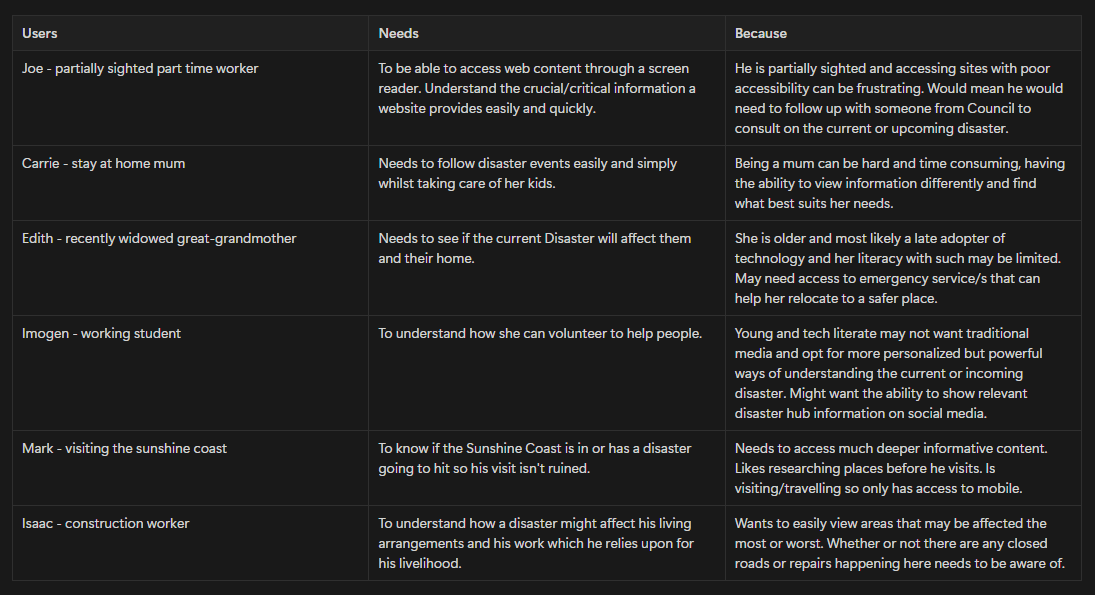
Personas
Utilizing internal personas to consider users, their pain points, needs and why to help build problem statements, recognize improvements, and new features.
This part helped put myself in the users shoes, understanding and considering why, what and who would utilize the current and new DisasterHub. How could the current site be falling short, how could the new site improve upon itself and bring new directions or ideas to be more valuable the everyone.
Project Management
Refining the problem statements into more actionable insights, improvements & new features, creating an outline of what to explore and create.
This was definitely a crucial step in ensuring the scope of the project was understood, first and foremost was improving wherever was necessary, reducing cognitive load on the users. Simplifying how the current data and information is presented to the user whilst introducing, and starting the conversation on new ideas and features to be explored.
Must Have
Alerts for upcoming disaster events.
States for preparing, during, and recovering from a disaster.
Articles around preparing for emergencies (For example, emergency kits, emergency plan etc).
Ability for people to view a range of warnings/incidents
Should have
More information about specific disasters and what can affect the Sunshine Coast.
Articles with information all around disasters, preparing for, during, and the recovery efforts.
Learn more about how you can volunteer to help.
Could Have
Embed map with alerts and overlay the area affected along with extra information when a user selects it.
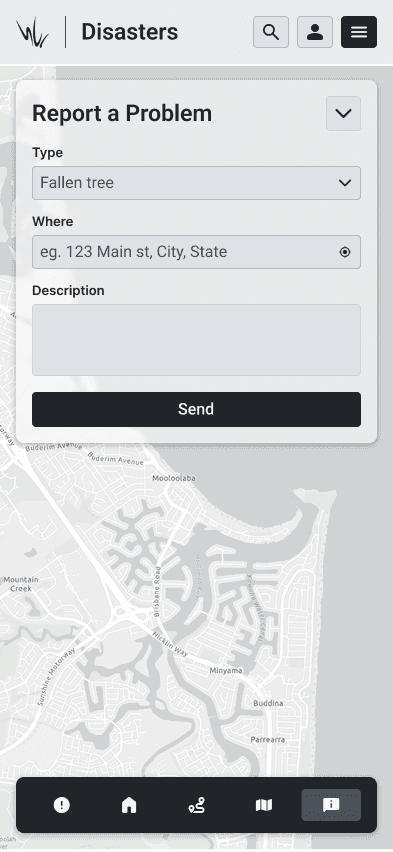
People could report closed road because of flooding or fallen tree etc.
Live coverage article/blog on the site when an active disaster is happening.
Ability for users to pin their map, work or school to receive updates from that area.
Wont have
A more built out and comprehensive way for people to filter and view alerts from specific regions on the Coast.
Any sort of social features, sharing, liking etc
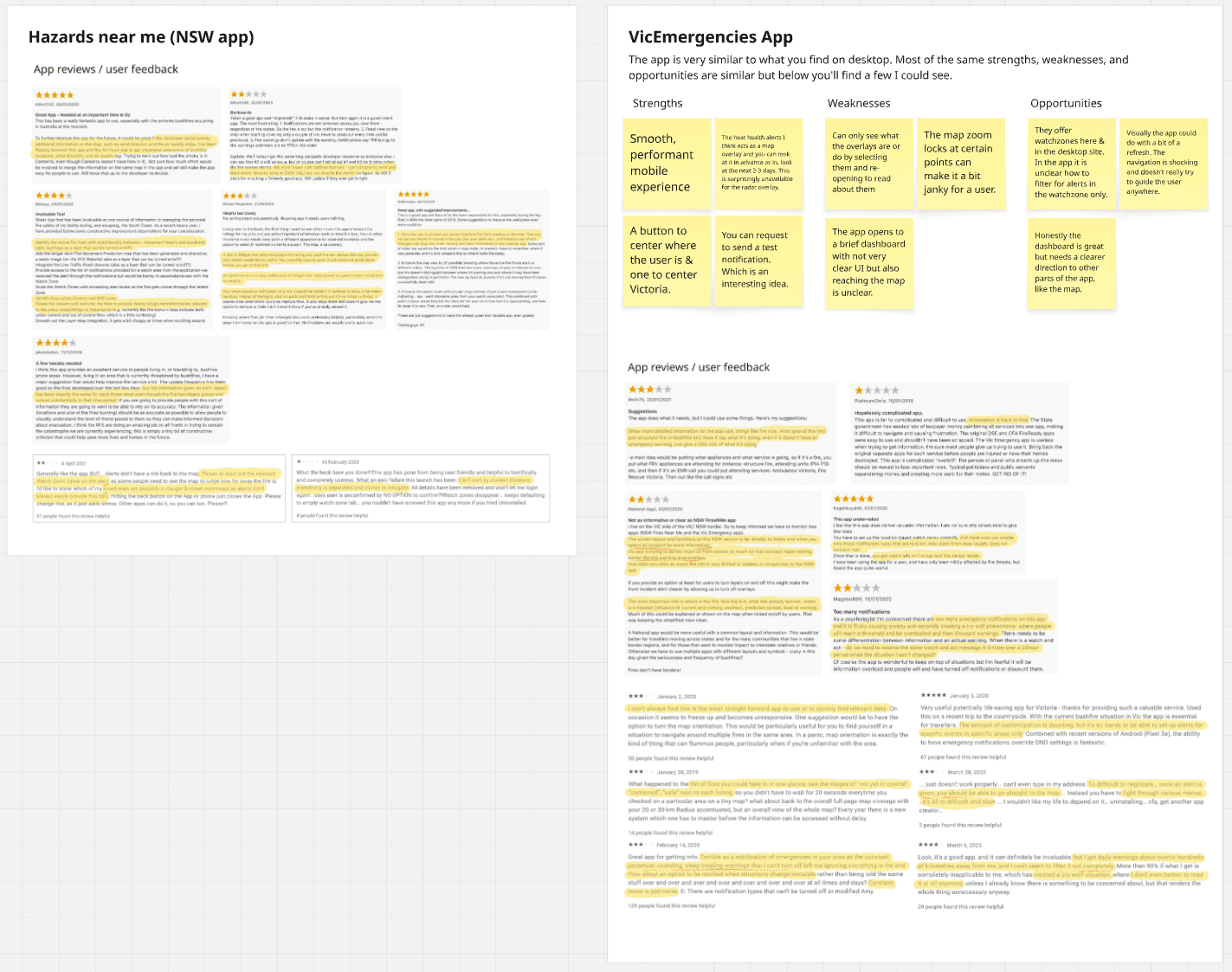
Competitor Analysis
I then utilized reviews on already released and used Disaster communication apps & sites offered by other governments in Australia. Helping to understand real users, their concerns, and validate my own ideas, improvements etc.
I reviewed around 4-6 sites and apps offered by all major governments, NSW and Victoria had apps for people to utilize which is where a bulk of my real user concerns, suggestions and what they liked came from. Mostly used to validate if I was considering and proposing correct improvements but also helped me build new ideas from the reviews and the apps themselves. Understanding how they decided to structure their content, present it and more.
Map
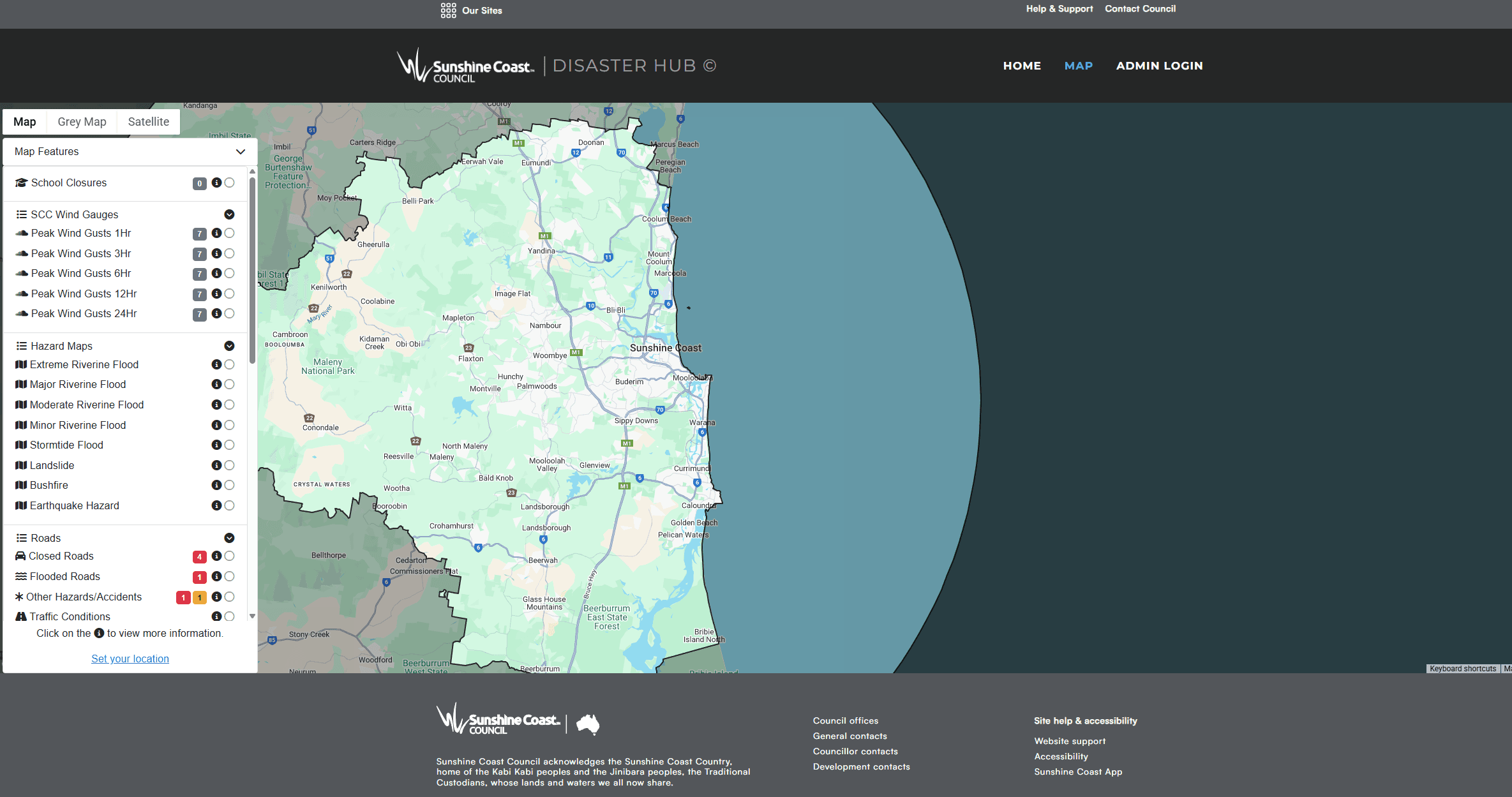
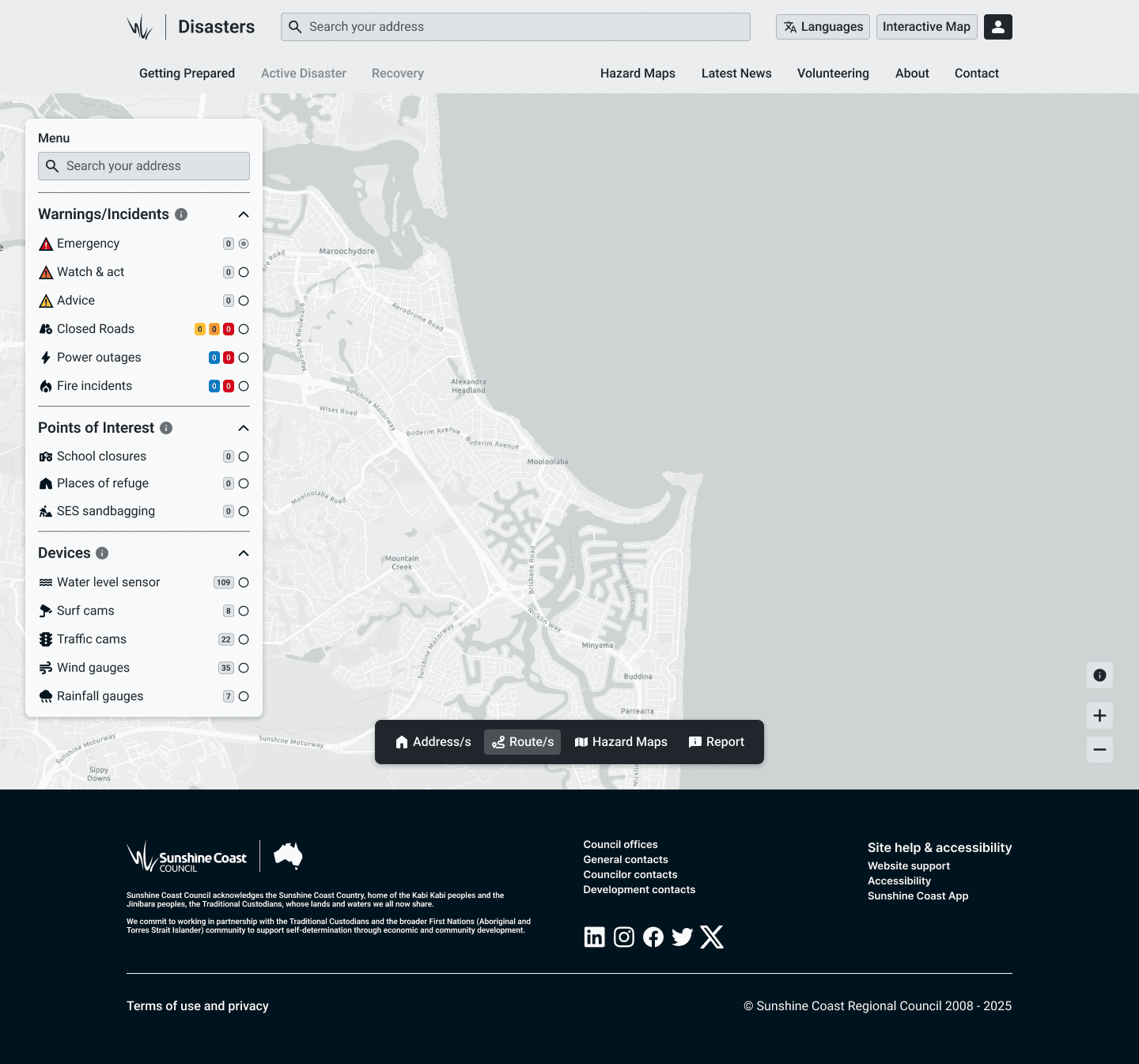
The DisasterHub map was one of the most important parts of the experience — yet also one of the most confusing.
I assume over time, multiple systems and alert types were added without consistent logic and In some cases, there were up to seven different markers to indicate that a road was closed. This made it difficult for residents to quickly understand what was happening, especially under stressful conditions.

Homepage
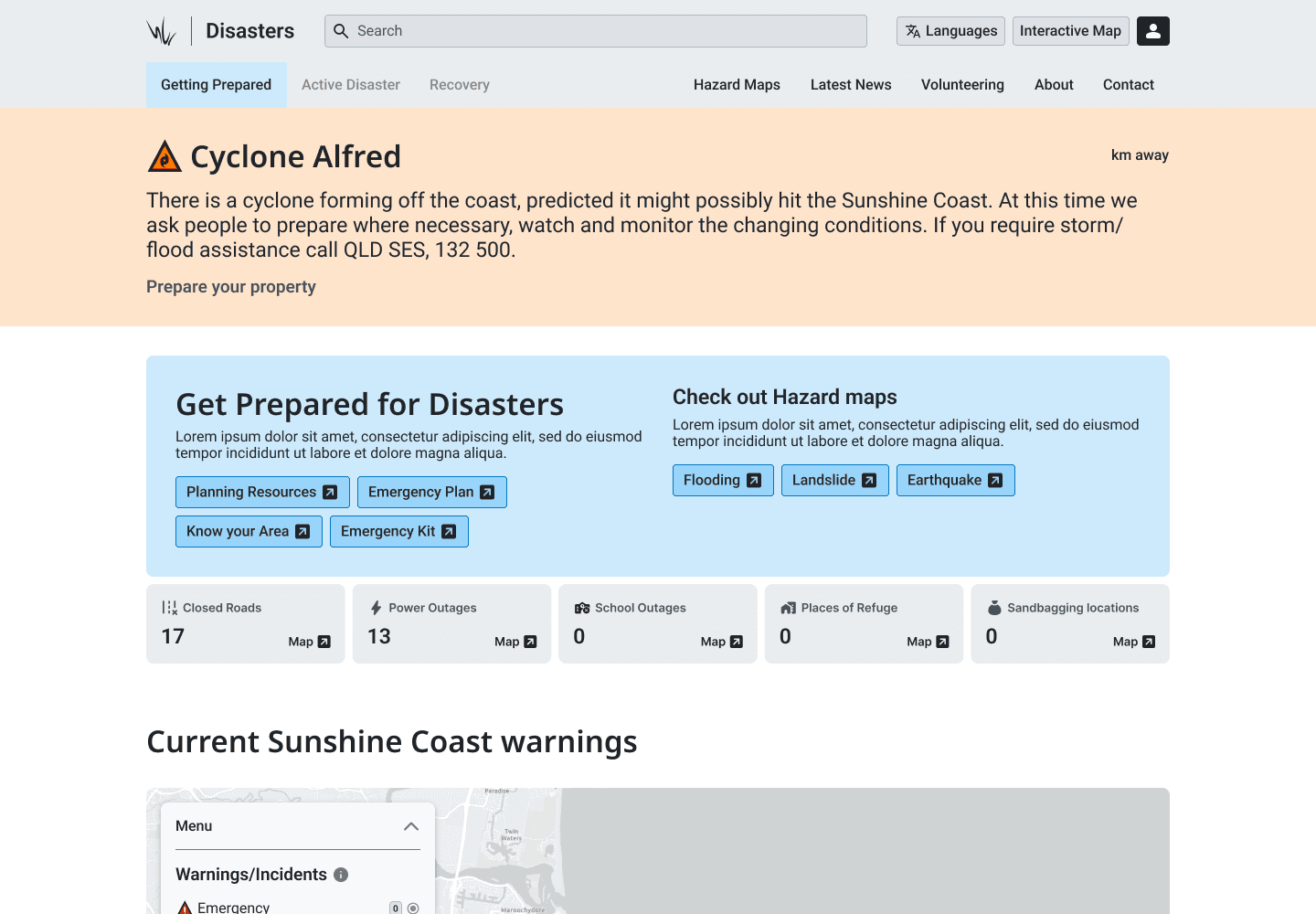
I've decided to have the website itself communicate the state of the Coast. When opened it will have three states it can be in, get prepared, active, and Recovery.
The site being in three different states, Get Prepared -> Active -> Recovery reflects how the Disaster Management team responds to an disaster/emergency event. I think this approach clearly and effectively communicates to the user as soon as the site is opened exactly what state the Sunshine Coast Region is in. It sort of just turns the entire site into a Alert.
Obviously after the disaster/emergency event the Council would then make the Recovery state available to click and basically is a place for people to continue monitoring the affected region/areas but also provides people with the news coverage around recovery efforts, and how individuals who were less affected can help with the recovery efforts (volunteering).

New Ideas
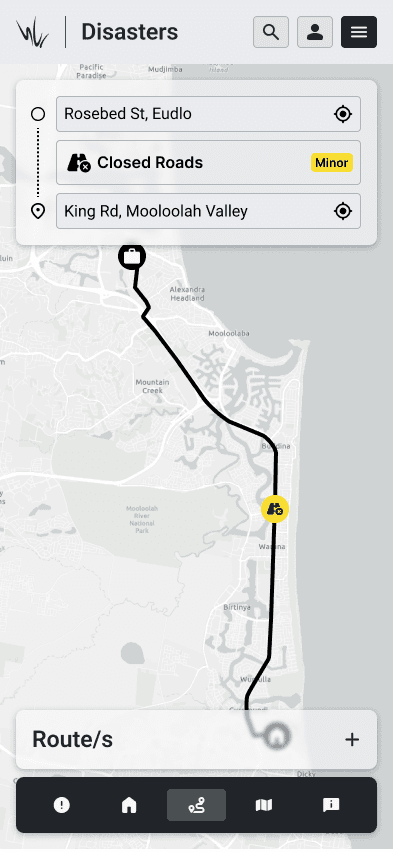
I also brought three new ideas to the table to bring more personal value to the site for users. They could create important addresses, routes between these addresses and utilize the map to pinpoint and report problems.
I created these ideas and concepts to improve the personal value of DisasterHub for residents. The ability to create an account to then add your important addresses, typically work, home, school, shopping etc. With this account you could also filter how and what notifications you receive as when reading through reviews for other disaster services from government is that not everyone needs to know when heavy rain -> flooding happens if they are +1000m above sea level. Now obviously the government may have rules/policy describing that you have to provide every one the alert/s for liability reasons.

Outcome
The result was a strong direction toward a clearer, more focused experience — helping people quickly identify the information they need without unnecessary friction.
Looking back, this project taught me the importance of visual consistency and the need for a clear design system — even under time pressure. With more time, I would’ve expanded the work into a cohesive UI library, tested color accessibility across emergency scenarios, and introduced analytics to validate real-world effectiveness.
While the project was not fully implemented during my internship, the direction I proposed laid a strong foundation for how the Council could communicate disaster and incident updates with greater clarity and confidence in the future.
This project reinforced that in critical communication design, clarity saves time — and time can make all the difference.